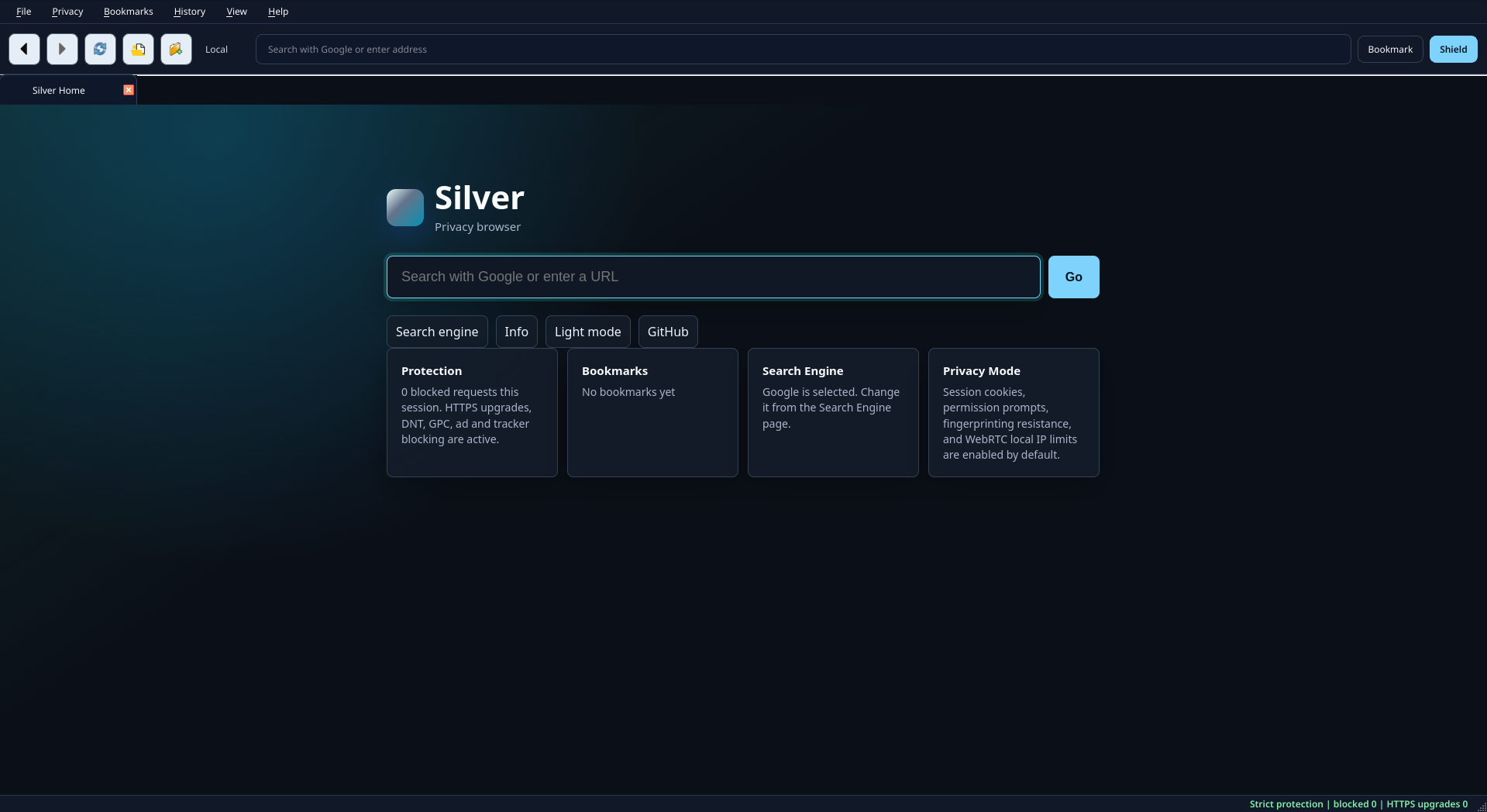
🚀 Features
- Fast rendering engine (Chromium-based)
- Lightweight and fluid performance
- Privacy focused with zero tracking infrastructure
🆕 What's new in v1.1-alpha (Changelog)
- Dark mode added — Toggle easily between layouts directly right from the core start page dashboard.
- Cross-platform support — Silver Browser is now officially available for macOS and Linux ecosystems!
- Optimized RAM consumption — Significantly compressed runtime footprints.
🔄 How to Update
To upgrade your installation, simply fetch the newest available build binary directly from this dashboard page and swap out your old application file executable. Your local configuration structures and active browser cookies will remain safely preserved throughout the process.
No install needed! Just run it.
! Warning !
For Windows:
If you run the executable and you receive the blue SmartScreen, it is totally normal. If I'd want to remove it, I'd have to pay some fees because I need a digital signature. I want to keep this project completely free, so that screen will still appear. Go to "More details", and after click on "Run anyway".
For macOS:
The same thing as for Windows, I don't want to pay to have a digital signature so the macOS Gatekeeper will say that the app is not safe, though it is. You'll have to go in Settings, and search for Security, go to Security & Privacy and scroll down. You will see "Run anyway", click on that. After this, if the app doesn't open, go in Finder and open it again. To install it, simply move the downloaded file into the Applications folder.
For Linux:
In most cases, at the first startup, you'll need to give the executable permissions to run. Go in your file manager, and go to the executable's properties. Then grant it access to run as a program.
Enjoy!
🚀 Caracteristici
- Motor de randare de mare viteză (bazat pe Chromium)
- Interfață simplificată, performanță fluidă și rapidă
- Orientat complet spre confidențialitate, fără sisteme de telemetrie
🆕 Ce este nou în v1.1-alpha (Changelog)
- Mod întunecat adăugat — Poți schimba facil între teme direct din interfața paginii principale de pornire.
- Suport multiplatformă — Silver Browser este acum oficial distribuit și configurat pentru macOS și distribuții Linux!
- Consum de RAM optimizat — Amprentă de execuție structural redusă asupra resurselor sistemului.
🔄 Cum se efectuează o Actualizare
Pentru a trece la versiunea mai nouă, descarcă pur și simplu ultimul pachet binar publicat pe această pagină web și înlocuiește vechiul tău fișier executabil. Toate preferințele setate și istoricul local vor rămâne intacte.
Nu necesită instalare! Doar rulează-l.
! Atenție !
Pentru Windows:
Dacă rulezi executabilul și îți apare ecranul albastru SmartScreen, este perfect normal. Dacă aș dori să-l elimin, ar trebui să plătesc niște taxe pentru o semnătură digitală. Vreau să păstrez acest proiect complet gratuit, așa că acel ecran va continua să apară. Mergi la "Mai multe detalii" ("More details") și după aceea dă click pe "Rulează oricum" ("Run anyway").
Pentru macOS:
Aceeași situație ca la Windows: nu vreau să plătesc pentru o semnătură digitală, așa că macOS Gatekeeper va raporta că aplicația nu este sigură, deși este. Va trebui să mergi în Settings (Configurări), să cauți Security, să accesezi Security & Privacy și să derulezi în jos. Vei vedea opțiunea "Run anyway" (Deschide oricum); apasă pe ea. Dacă după acest pas aplicația nu se deschide, mergi în Finder și deschide-o din nou de acolo. Pentru a instala programul, pur și simplu mutați fișierul descărcat în folderul Aplicații (Applications).
Pentru Linux:
În majoritatea cazurilor, la prima pornire, va trebui să îi acorzi executabilului permisiuni de rulare. Mergi în managerul de fișiere, accesează Properties (Proprietăți) pentru executabil și bifează opțiunea care îi permite să ruleze ca un program (Execute).
Enjoy!